A quote, done before you leave the job.
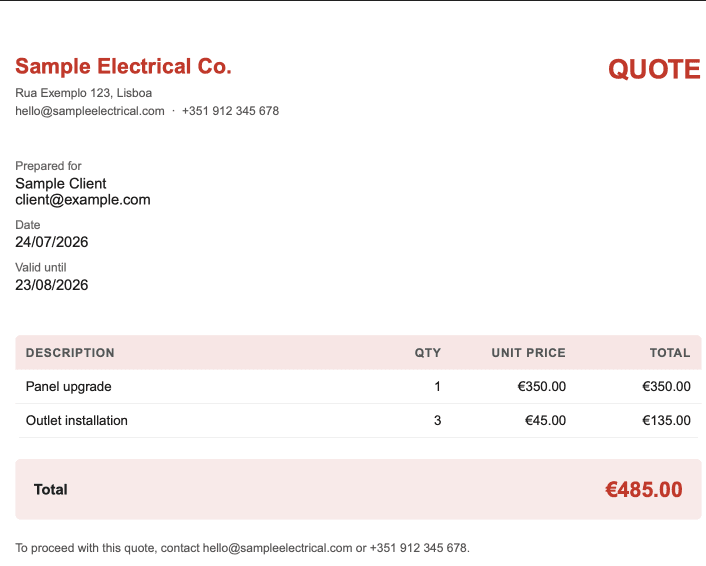
Add the line items on your phone, and QuoteGen builds a branded PDF quote with your logo and colors — ready to send before the client forgets you were there.
Start freeAdd the line items on your phone, and QuoteGen builds a branded PDF quote with your logo and colors — ready to send before the client forgets you were there.
Start freeSet your logo and brand color once in settings. Every quote after that carries them automatically — no re-uploading.
No desktop required — add items, check the total, and generate the PDF from the job site.
Line items, totals, and your branding rendered as a proper document your client can save, print, or forward.
Name, email, and whatever you're charging for.
It updates as you type — no separate calculator.
A branded PDF, ready in your downloads or photo library.
One token, one quote. Buy more only when you run out.
No. QuoteGen runs in your phone's browser — add it to your home screen if you want it to feel like an app.
You buy more tokens from the dashboard. One token makes one quote — no subscription, no monthly fee.
No — your logo and brand color are baked into the document, and there's no QuoteGen branding on it.
Generate a new one. A token is only spent when the PDF is actually created.
Send your next quote before you leave the driveway.
Start free